Last Updated: April 18, 2026
Introducing
From the team that built the 2D CAD validated at Hughes Aircraft Space & Communications Group for satellite microwave design.
Now native on Apple Silicon. Perpetual license. No subscription. Ever.
One-time purchase — no subscription, no recurring fees, ever
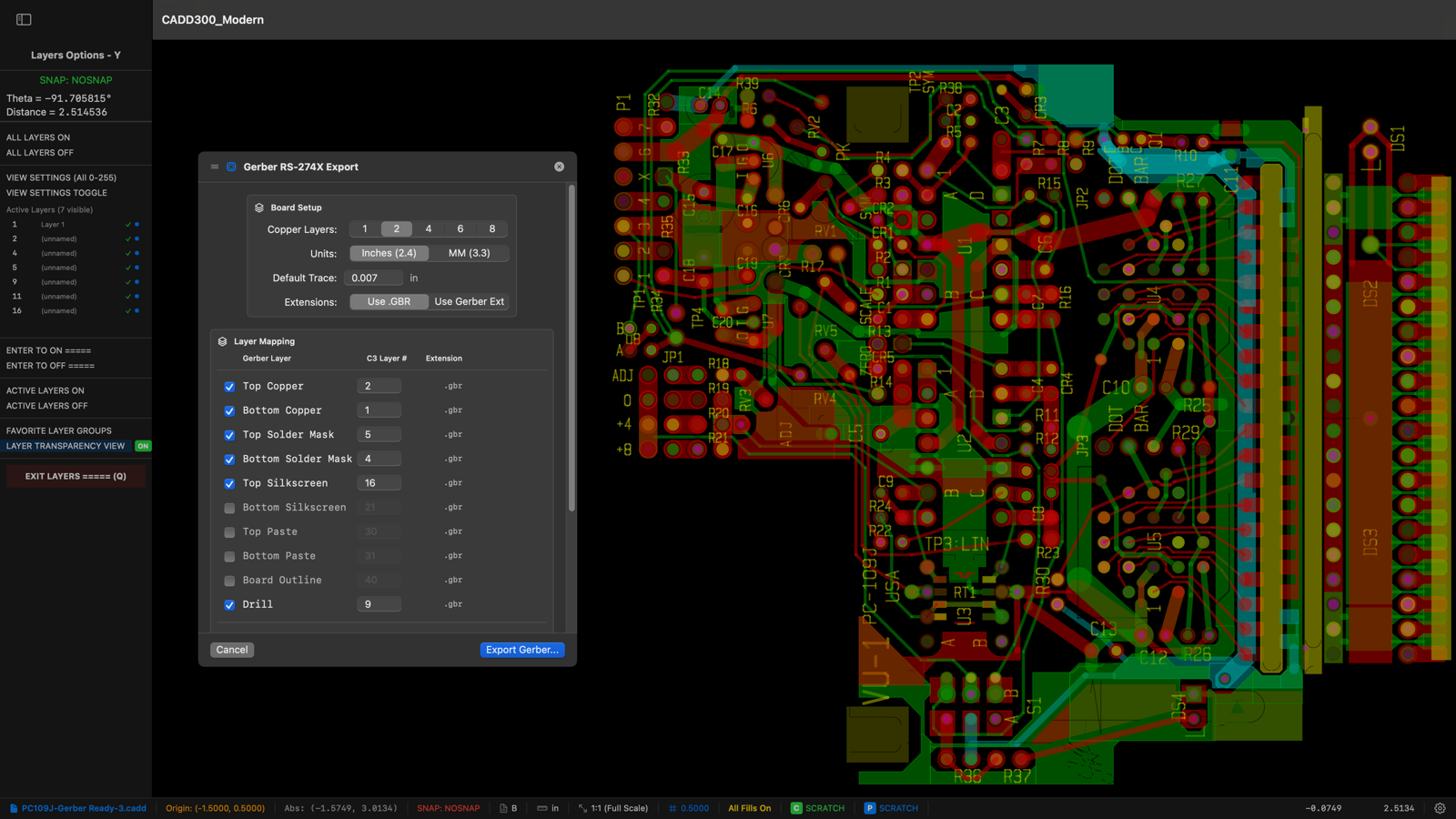
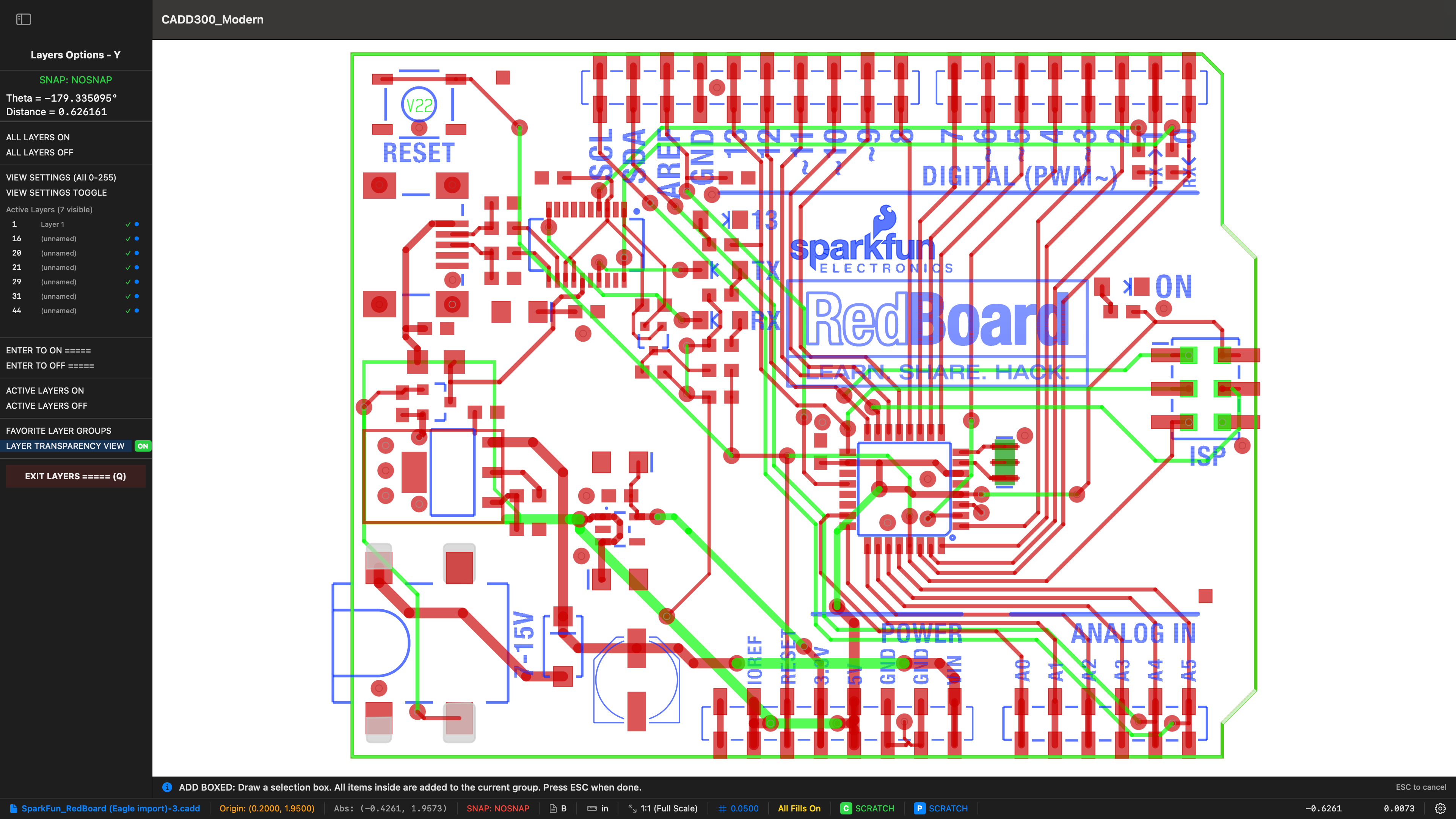
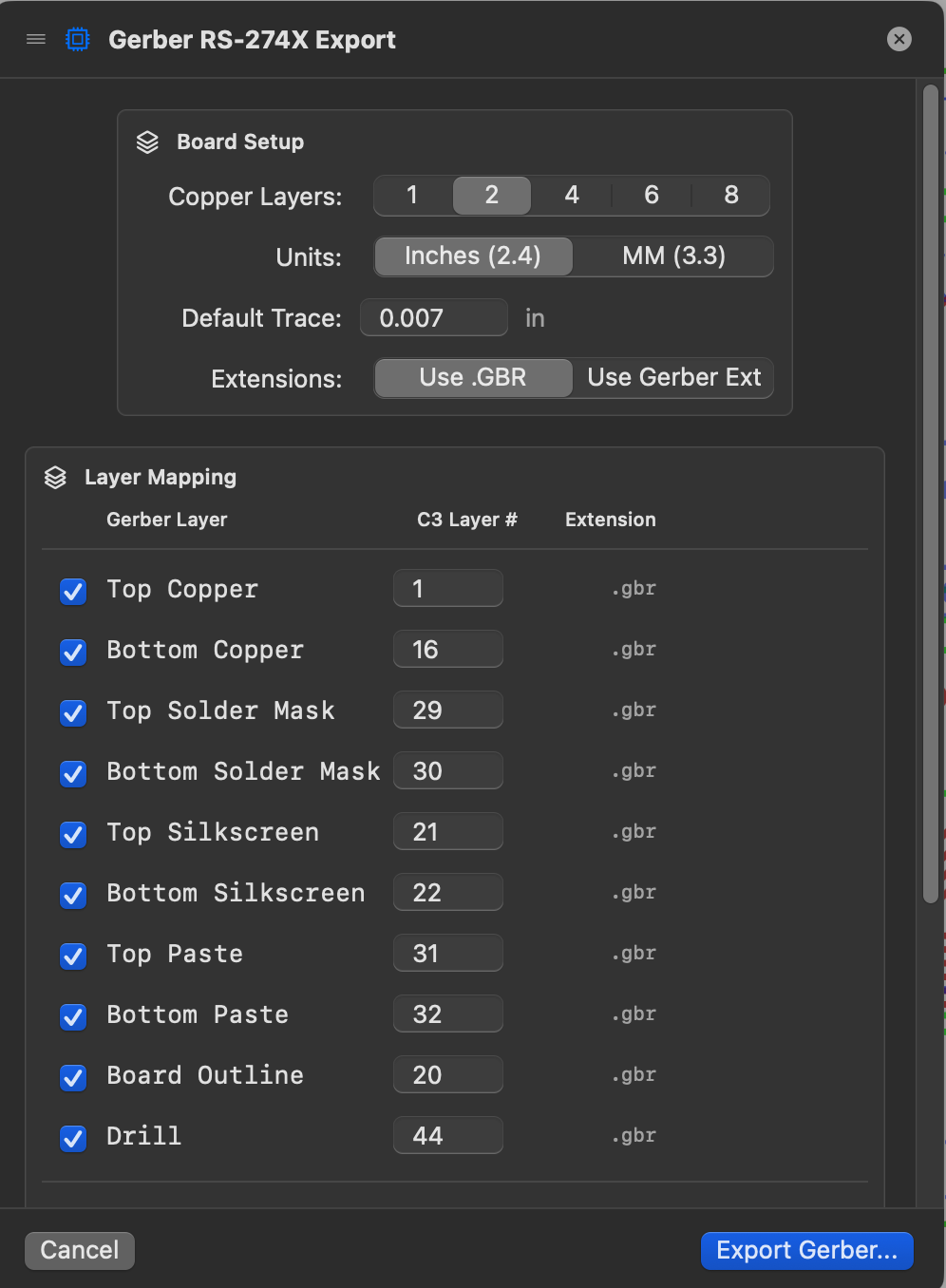
PCB design with Gerber RS-274X export — multi-layer transparency view, layer mapping, and one-click fabrication output
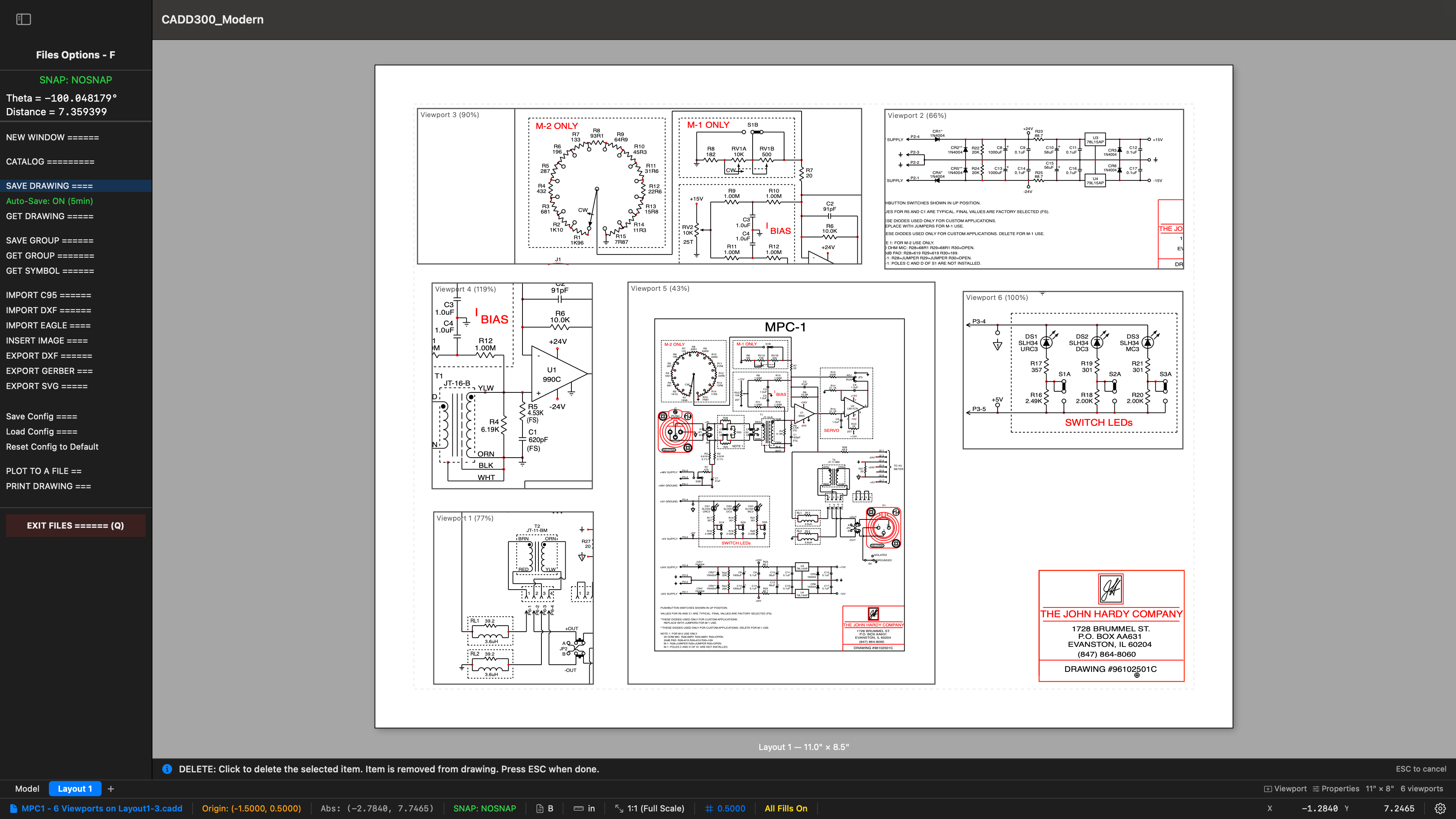
Layout / Paperspace — six viewports at different scales on a single sheet, with per-viewport layer groups
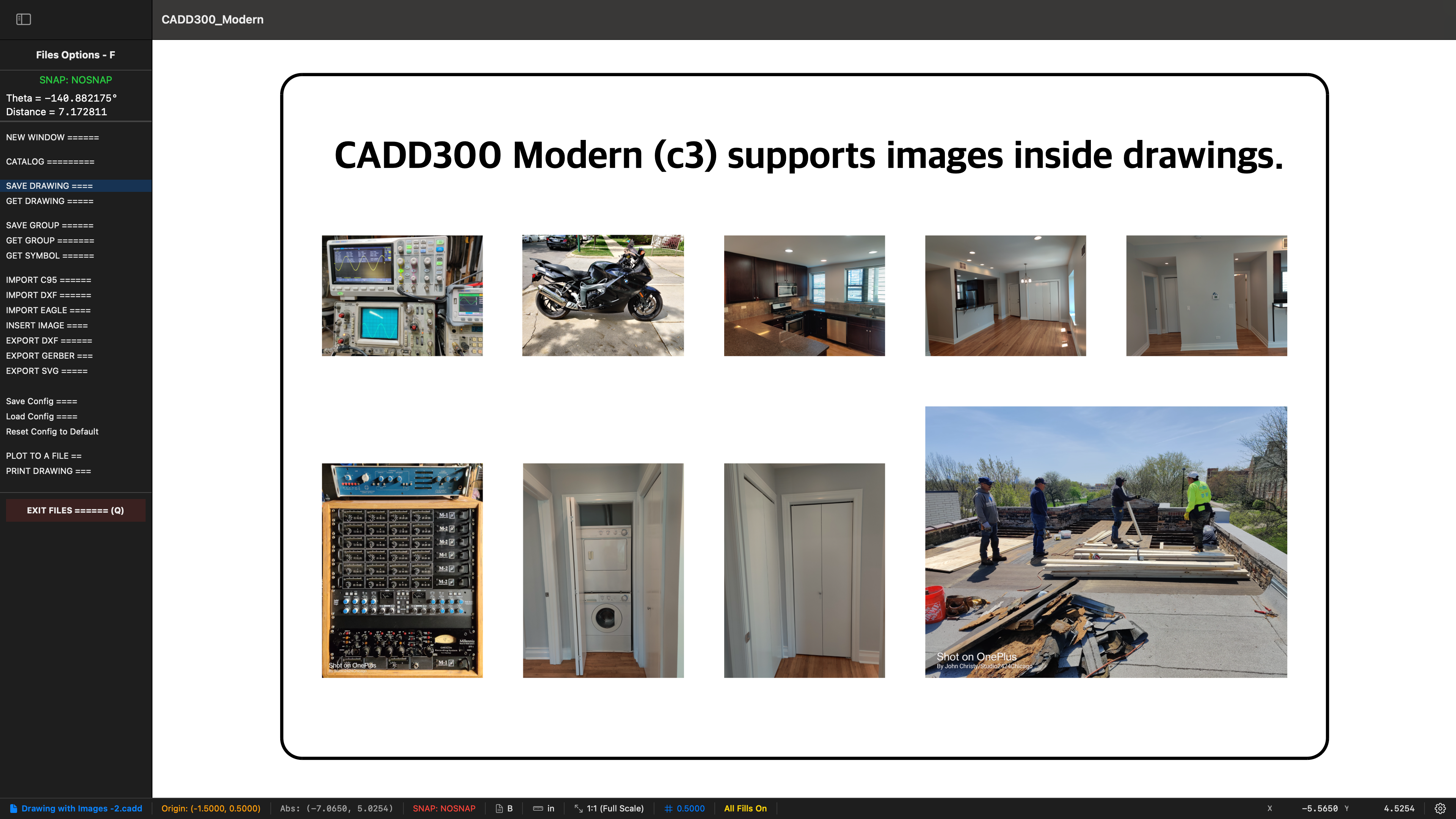
Embed photos and images directly inside drawings — full import, scaling, rotation, and cropping support
Designed for Speed
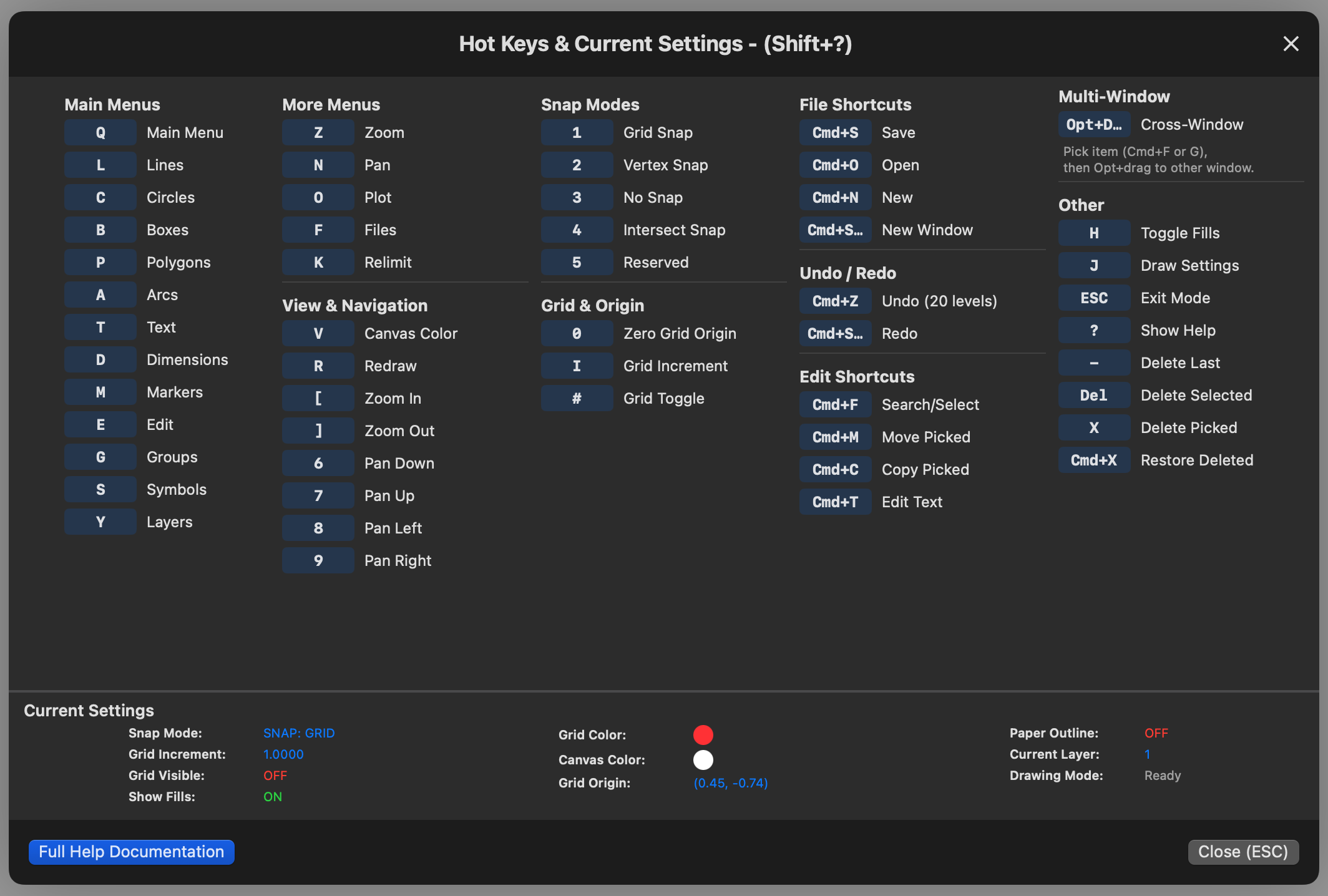
Every feature is reachable from the always-visible sidebar — click a tool category and the panel shows all options, fields, and sub-tools. No hunting through nested dropdown menus. For experienced users, single-key shortcuts accelerate everything: L for lines, C for circles, B for boxes, T for text. Press ? for the complete hotkey reference.
Voice Guidance talks you through multi-step operations — “Click first point,” “Click second point,” “Click the side to offset.” Invaluable for learning complex tools and for hands-on-the-keyboard flow where your eyes stay on the drawing. One toggle switch in the main menu turns voice on or off.
Release Highlights
Five major capability upgrades shipped in v2.0: multiple independent drawing windows with cross-window drag-and-drop, spreadsheet-like tables on the canvas, multi-leader annotations, engineering dimension tolerances with ordinate dimensioning, and a full seven-mode snap system.
C3 supports multiple independent windows — you can have two, three, or more drawings open at the same time, each in its own window, and drag primitives directly from one window to another.
Working with a single window means constantly saving, closing, opening, and copying between files. With multi windows, you can:
Embed fully interactive spreadsheet-like tables directly on the drawing canvas. Create any number of tables with as many rows and columns as your project requires. Click any cell to type data directly — Tab moves right, Enter moves down, just like a spreadsheet.
Place a text annotation with unlimited arrow leader lines pointing to features across the drawing. The text box goes down first, then click to add as many arrows as you need — each one exits from the nearest edge of the text box automatically. Drag the text box to reposition while all arrows maintain their target locations. Add or remove individual leaders at any time.
Three tolerance modes for engineering dimensions: Symmetric (±0.005), Deviation (+0.010 / −0.003), and None. Tolerance values render as stacked fractions in smaller font after the dimension value.
Ordinate / Datum dimensions (Datum Horizontal and Datum Vertical) measure cumulative distance from a single reference point. Click the datum origin once, position the dimension line, then click as many target features as you need — each one creates a dimension showing the absolute distance from the datum. This is the equivalent of AutoCAD’s ordinate dimensioning system.
C3 provides a complete seven-mode snap system — the most comprehensive of any independent 2D CAD application. Each mode is activated by a single key press:
Complete Documentation
Every feature is documented with step-by-step workflows, keyboard shortcuts, and practical tips. Press ? anywhere in the program to open the guide instantly.
Save the entire guide as a standalone HTML page and open it in your favorite browser. Keep it on a second monitor or a tablet while you work — completely independent of the CAD program.
Print the complete manual with page numbers and a wide left margin for binder clips. Or save it as a PDF to browse, annotate, or share with your team.
Type any word or phrase and every match is highlighted in yellow with a match counter. Use Return/Shift+Return to jump between results. Proximity search finds related terms even when you don’t know the exact wording.
One click opens the complete keyboard shortcut reference — every hotkey, snap mode, and modifier laid out in a clean 5-column grid. Also accessible with Shift+? from anywhere.
60+ topics organized alphabetically with clickable links. Jump to any section instantly — from Arc Options to Zoom Controls. Back-to-top links throughout for easy navigation.
Every tool has optional spoken step-by-step prompts. “Click first point… Click second point… Line created.” Learn new features without reading — just listen and draw.
Industry First
Need a specialized function for your workflow? C3 is the only CAD program in the world that offers custom feature development as a service.
Traditional CAD vendors take 6–18 months to respond to feature requests — if they respond at all. C3 features are designed, built, tested, and deployed in days.
Describe the function you need. We build it specifically for your use case — not a generic feature that tries to satisfy everyone and satisfies no one.
A professional electronics designer requested a PCB workflow feature. It was designed, implemented, tested, and deployed the same day. That’s how C3 development works.
No other CAD company on Earth offers this service. Not Autodesk. Not Dassault. Not Siemens.
Just C3.
Made with C3
Real drawings created in C3 — spanning electronics, mechanical design, architecture, and technical illustration.
PCB board layout — imported from Eagle, ready for Gerber export
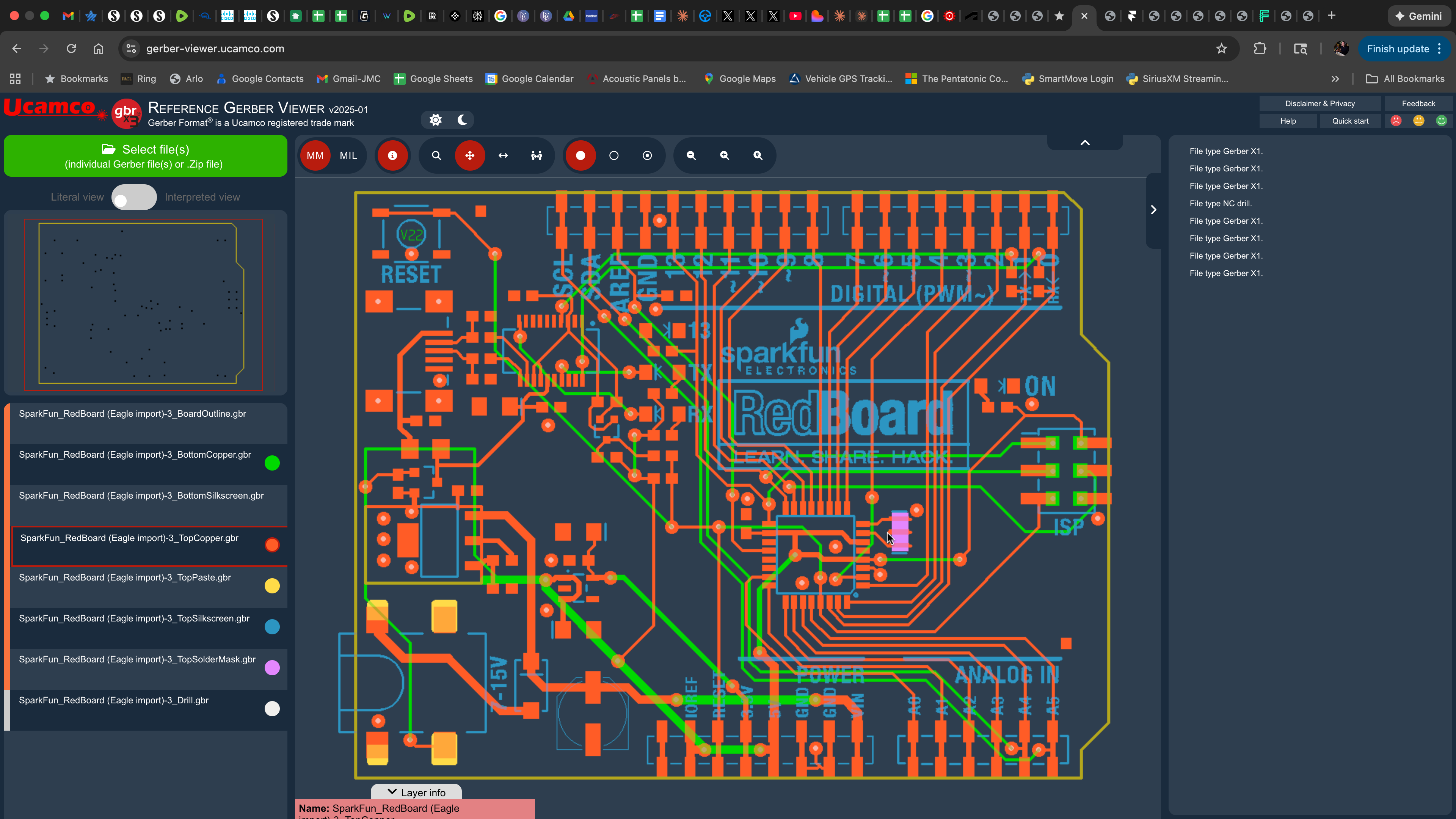
Gerber output verified in Ucamco Reference Viewer — Eagle → C3 → fabrication-ready
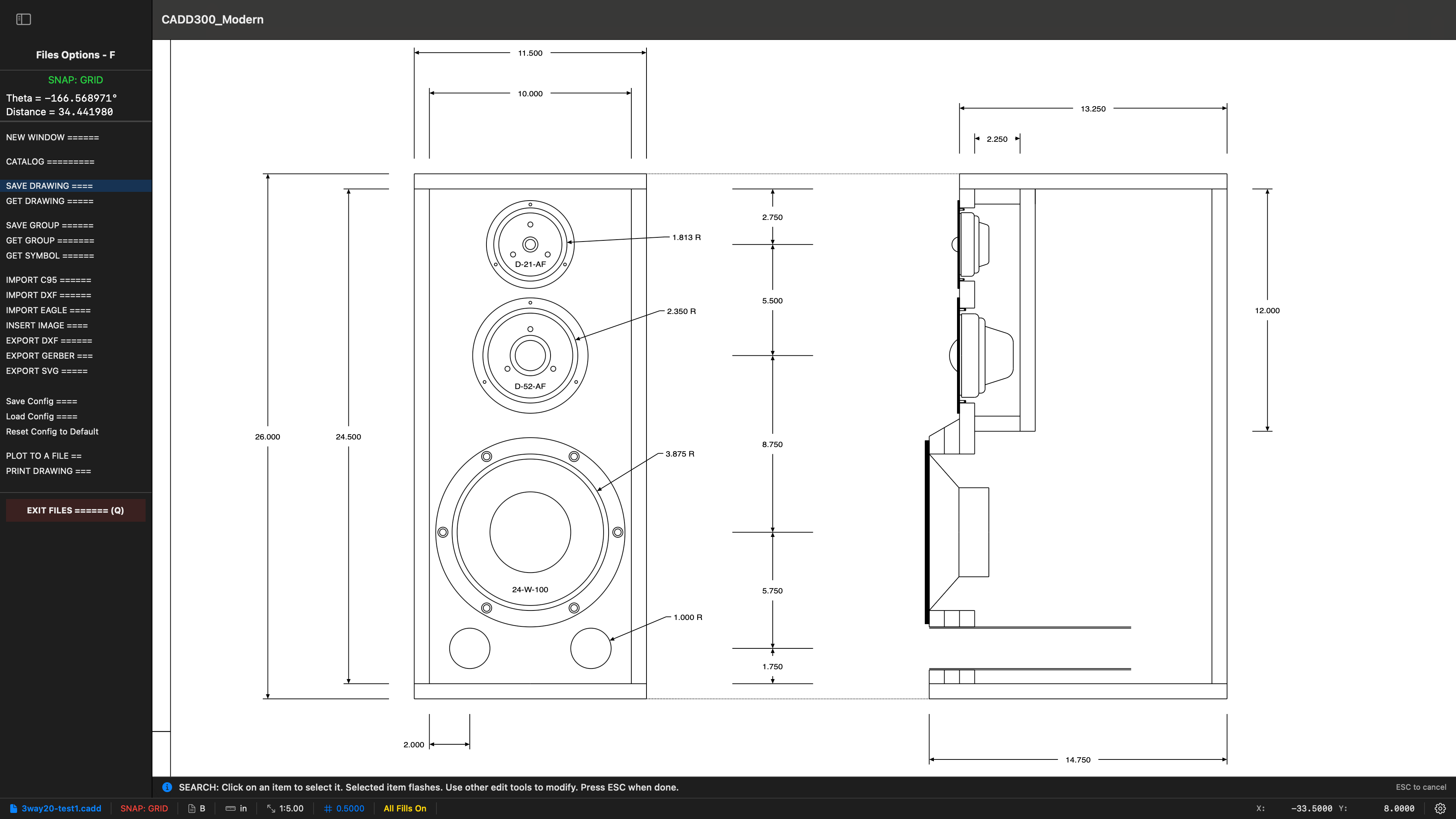
Speaker enclosure design with crossover network layout
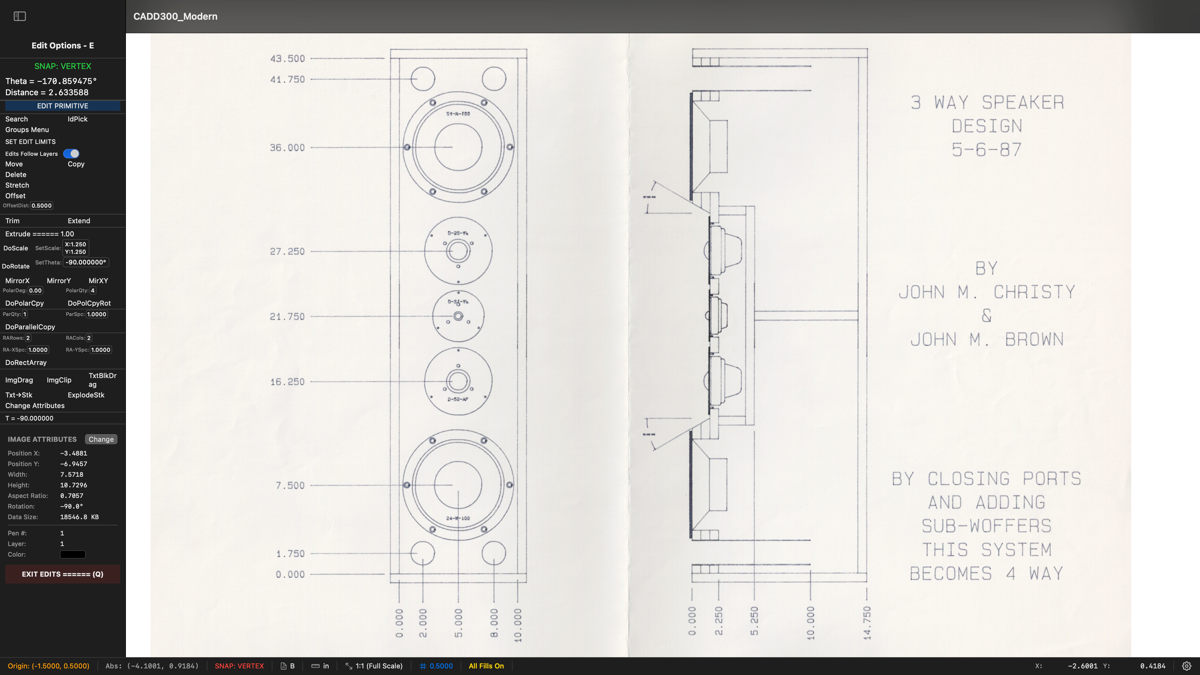
3-Way Speaker Design — Christy & Brown, 1987
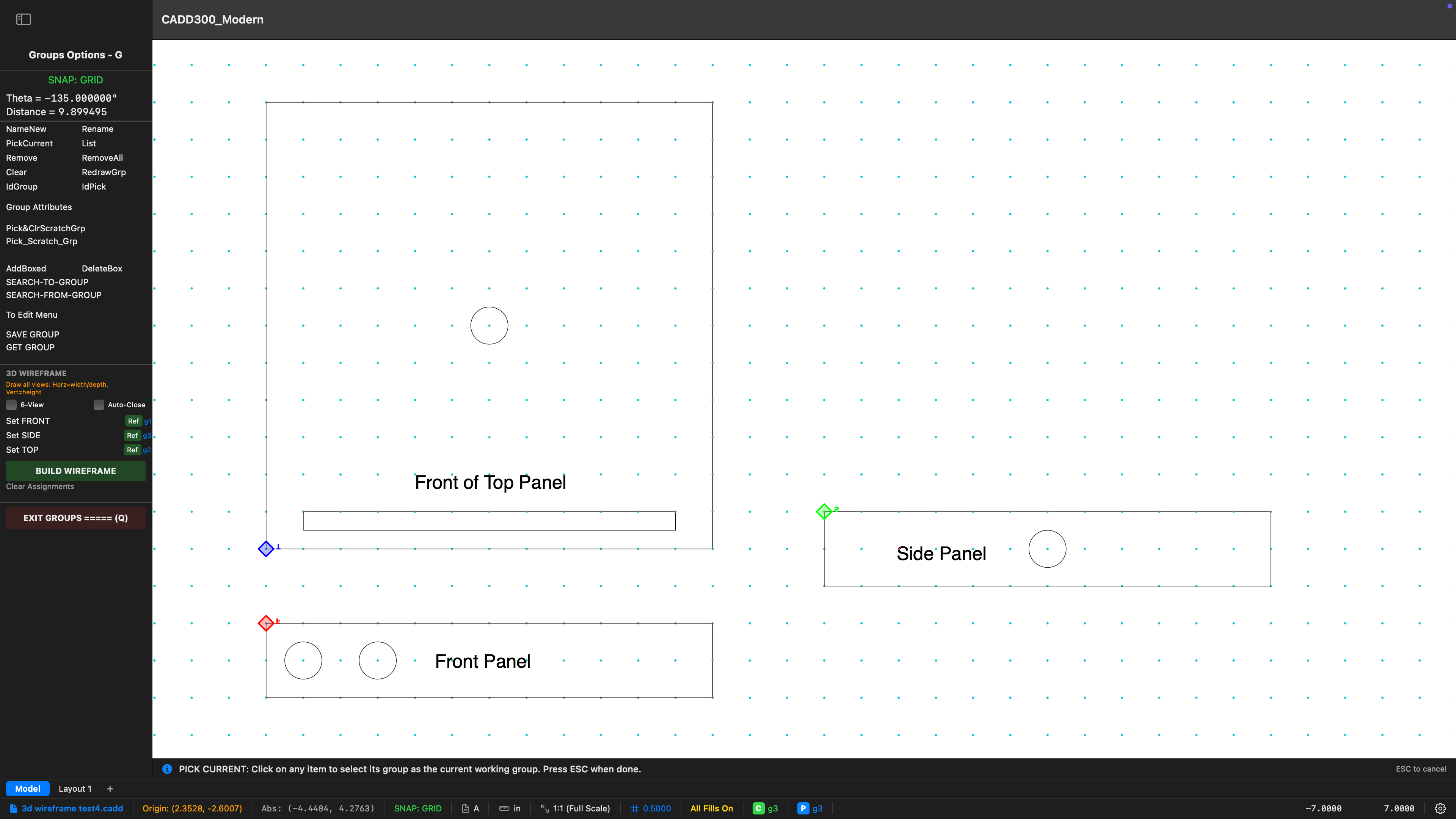
2D orthographic views — top, front, and side panels
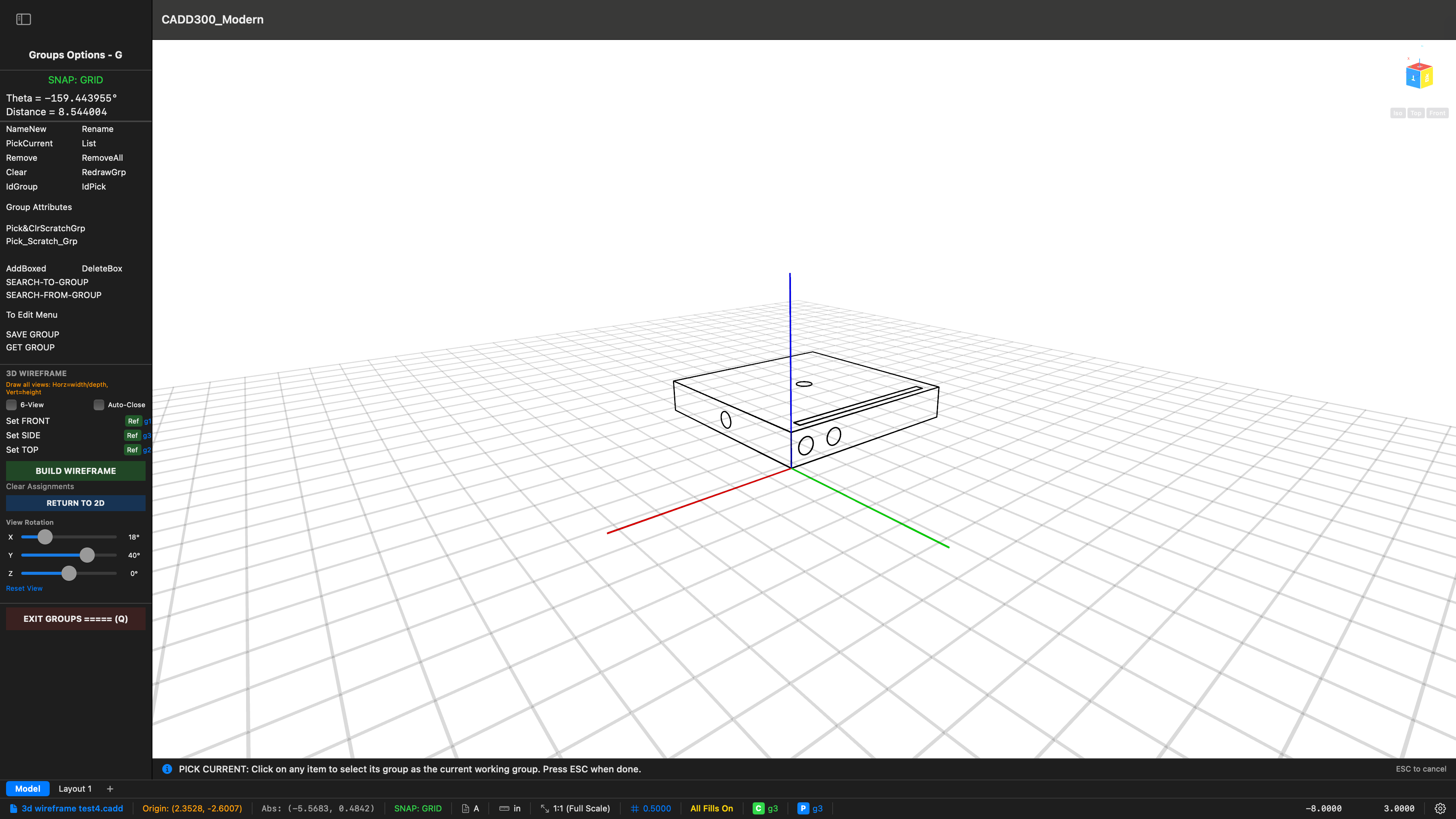
3D wireframe reconstructed from orthographic views
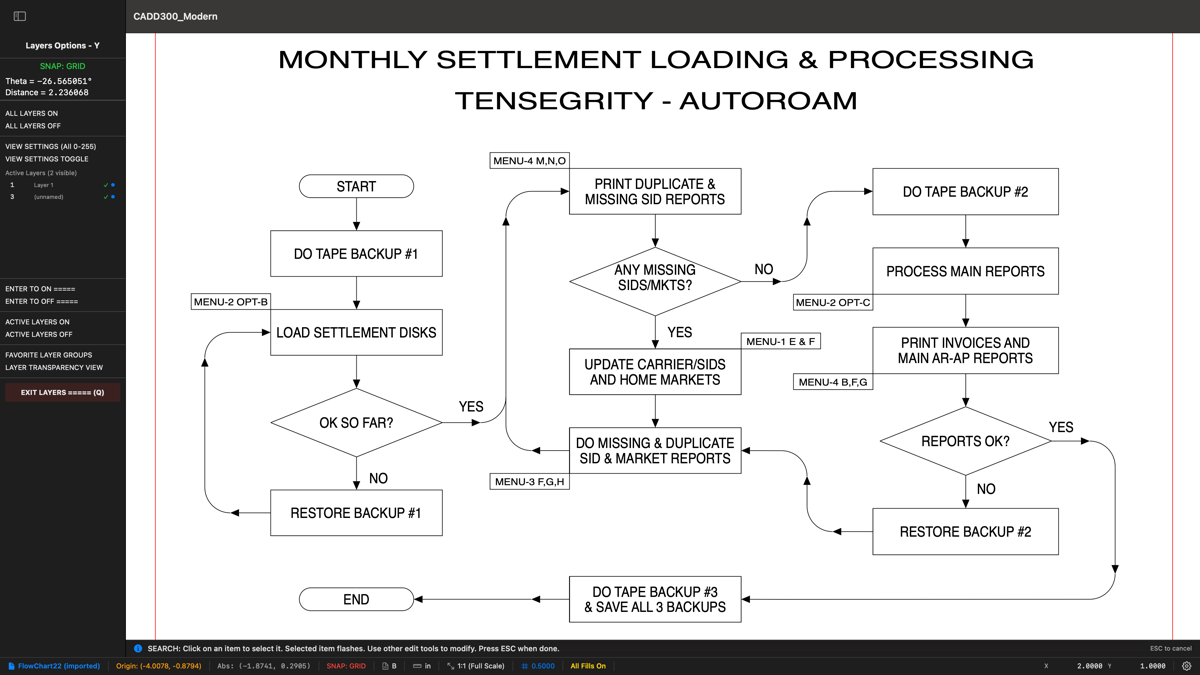
Process flowchart — Tensegrity AutoRoam settlement system
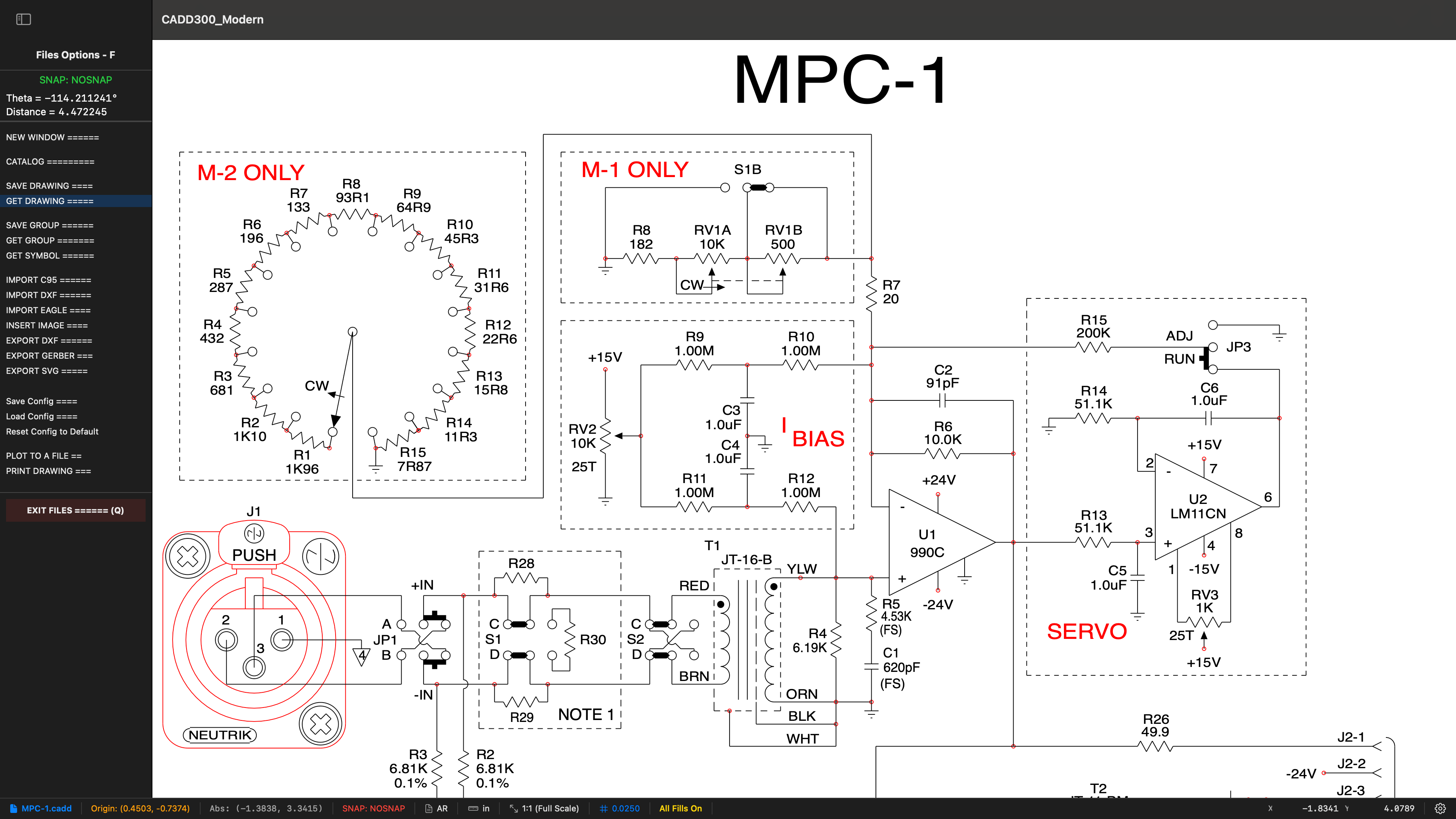
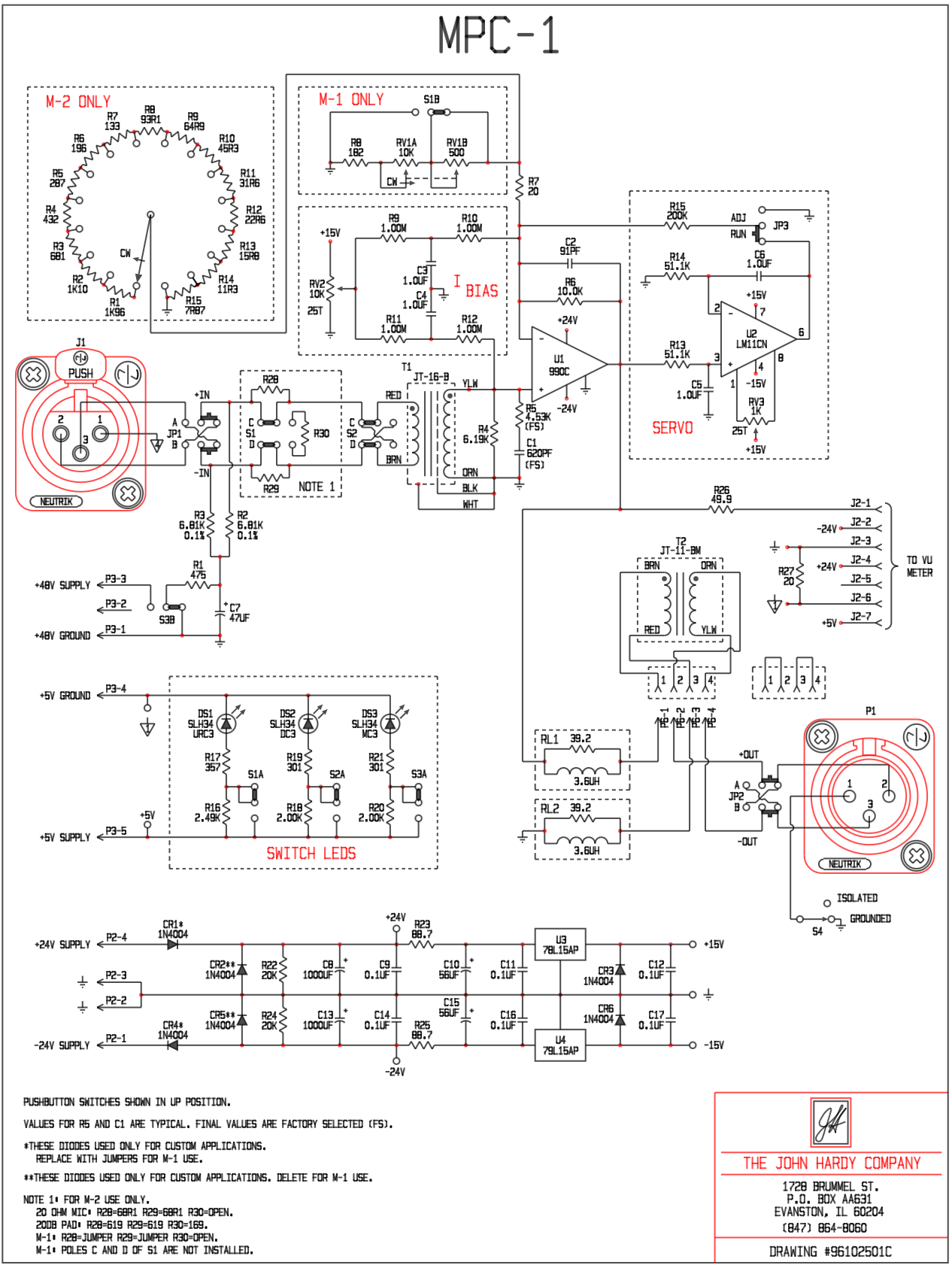
MPC-1 Preamplifier Schematic — drawn in C3
Layout / Paperspace — Six Viewports, One Sheet
The same MPC-1 schematic shown through six independent viewports, each at a different scale and showing a different section of the circuit. Create as many layouts as your project requires, each with unlimited viewports. Assign per-viewport layer groups to show only the layers you need. Title blocks, borders, and annotations live on the paper — not in your model. Everything is stored in a single .cadd file alongside your drawing.
The 43-Year User
I began making mechanical drawings in the later 1960s, with paper and pencil, a ruler and a triangle, and an eraser. I made circuit board designs, drawing them on poster board. In 1977 I made the major upgrade to a light table and drafting arm, with a “precision grid” and lots of Mylar film for circuit board drawings.
Around 1981, my old friend John Christy began writing a CADD program, first on the Hewlett Packard HP85 computer, then upgrading to the HP “200 Series” and then the “300 Series” engineering computers. I bought an HP “216” computer, then an HP “340” computer, and began using Christy’s CADD program. I have been using his program ever since, and I won’t leave home without it.
I have relied on it for drawings of sheet metal parts, injection molded plastic parts, machined parts, schematics, circuit board designs and any odd drawing that I need to make. It has always been very easy to use, with lots of common sense features that were missing in the most expensive CAD programs of the 1990s and 2000s, and probably today.
Christy has always been very responsive to suggestions from his customers, including me. I was fortunate that he gave me a copy of the source code, so I added several simple convenience features. There were two features in particular that seem crazy by modern standards, but in the 1980s they were non-existent or very specialized. The first feature was “Wide Lines”. In the 1980s, if you wanted a wider line in your hard-copy, you put a plotter-pen with a wider tip in your plotter. But for circuit boards, I needed more flexibility and precision, so I added the “Wide Line” feature so that I could do pen plots with much greater precision. In 2012 I needed to add “Gerber File” capability to the program because of a complex circuit board design that I was working on. It was a bare-bones software addition, using the RS232 output of the HP computer to transfer the files to a modern PC.
Now it is 2026, and Christy has accomplished the huge task of bringing this 45-year-old program into the modern world to run on Mac computers. There are tons of new features that rival and surpass the “top” CAD programs of today. I am thrilled to be using it.
— John Hardy, The John Hardy Company, Evanston, Illinois
For PCB Designers
Autodesk is ending Eagle CAD support on June 7, 2026. C3 imports Eagle .BRD board files and exports industry-standard Gerber RS-274X — giving you a complete fabrication pipeline that doesn't depend on Autodesk's subscription timeline.
How We Compare
Professional capability without the annual tax. Two comparisons follow — first against the volume drafting tier, then against the professional engineering tier.
Common 2D drafting products. Subscription-only on PC platforms.
| C3 | AutoCAD | AutoCAD LT | DraftSight | |
|---|---|---|---|---|
| Annual Cost | One-time purchase | $2,030/yr | $515/yr | $299–$599/yr |
| 3-Year Cost | $0 after purchase | $6,085 | $1,545 | $897–$1,797 |
| Native macOS | ✓ SwiftUI + CoreGraphics | Port | Port | Port |
| Offline-First | ✓ Zero cloud dependency | Optional cloud | Optional cloud | ✓ |
| DXF Import/Export | ✓ R12–R2018+ | ✓ | ✓ | ✓ |
| Eagle .BRD Import | ✓ | × | × | × |
| Gerber Export | ✓ RS-274X + Excellon | × | × | × |
| SVG/HTML Export | ✓ | × | × | × |
| Embedded Images | ✓ In-file | External refs | External refs | External refs |
| Voice Guidance | ✓ On/off toggle | × | × | × |
| Cross-Window Drag | ✓ Option+click | Copy/Paste | Copy/Paste | Copy/Paste |
| 3D from 2D Views | ✓ | × | × | × |
| Auto Hatch | ✓ One-click | Boundary pick | Boundary pick | Boundary pick |
| Layout / Paperspace | ✓ Multi-viewport, layer groups | ✓ | ✓ | ✓ |
| Snap Modes | ✓ 7 modes (incl. Tangent, Perp, Nearest) | ✓ | ✓ | ✓ |
| Auto-Save | ✓ With crash recovery | ✓ | ✓ | ✓ |
| Custom Features on Request | ✓ Days, not months | × | × | × |
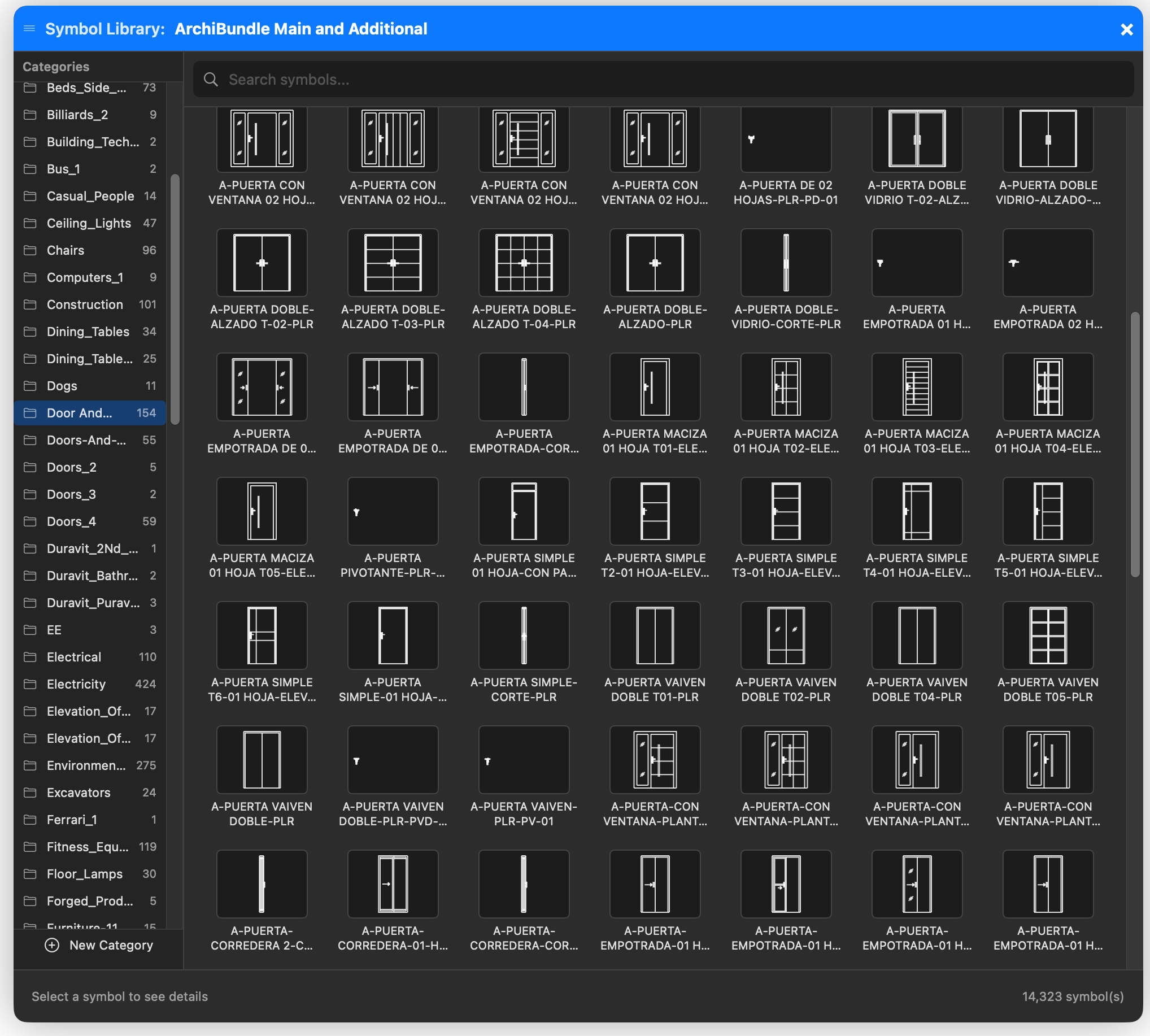
| Load Drawings as Groups | ✓ .cadd files as reusable groups | × | × | × |
| Training Required | Minimal (sidebar menus + voice guidance) | Extensive (steep curve) | Extensive | Moderate |
| Support | Direct from the developer | Enterprise ticket system | Enterprise ticket system | Ticket system |
Tools that compete on capability, not price. Annual costs reflect typical commercial seats.
| C3 | MicroStation | SolidWorks Drawings | BricsCAD Pro | |
|---|---|---|---|---|
| License Model | Perpetual, one-time | Subscription | Subscription + maintenance | Perpetual or subscription |
| Annual Cost (typical seat) | $0 after purchase | $3,000–$5,000/yr | $4,195 + $1,500/yr maint. | $1,020/yr (sub) or $1,890 perpetual |
| 5-Year Cost | $12,995 (one-time) | $15,000–$25,000 | $11,695+ | $5,100–$9,390 |
| Native macOS | ✓ SwiftUI + CoreGraphics | × Windows-only | × Windows-only | ✓ |
| Apple Silicon Native | ✓ arm64 | × | × | Rosetta or x86 |
| Offline-First | ✓ Zero cloud dependency | Bentley CONNECT cloud | 3DEXPERIENCE cloud | ✓ |
| License Activation | No phone-home, no servers | Bentley SELECT server | License server / cloud | Online activation |
| File Format | .cadd (open JSON) | .dgn (proprietary) | .slddrw (proprietary) | .dwg (industry std.) |
| DXF Import/Export | ✓ R12–R2018+ | ✓ | ✓ | ✓ |
| DWG Import/Export | ✓ via ODA File Converter | ✓ | ✓ | ✓ (native) |
| Eagle .BRD Import | ✓ | × | × | × |
| Gerber RS-274X Export | ✓ UCAMCO-validated | × | × | × |
| Voice Guidance | ✓ On/off toggle | × | × | × |
| Cross-Window Drag | ✓ Option+click | Copy/Paste | Copy/Paste | Copy/Paste |
| Embedded Spreadsheets | ✓ 34-function formula engine | Linked Excel | Linked Excel | Linked Excel |
| Custom Features on Request | ✓ Days, not months | Bentley consulting | VAR / partner channel | LISP / API ecosystem |
| Direct Developer Support | ✓ Email the developer | Tiered enterprise support | VAR / Dassault portal | Reseller channel |
| Heritage / Lineage | CADD/200-300 (1982–present) | Bentley (1984–) | Dassault (1995–) | Bricsys (2002–) |
Pricing reflects typical commercial seat costs from publicly available sources as of 2026 and varies by region, contract, and reseller. C3 is sold direct.
The Origin Story
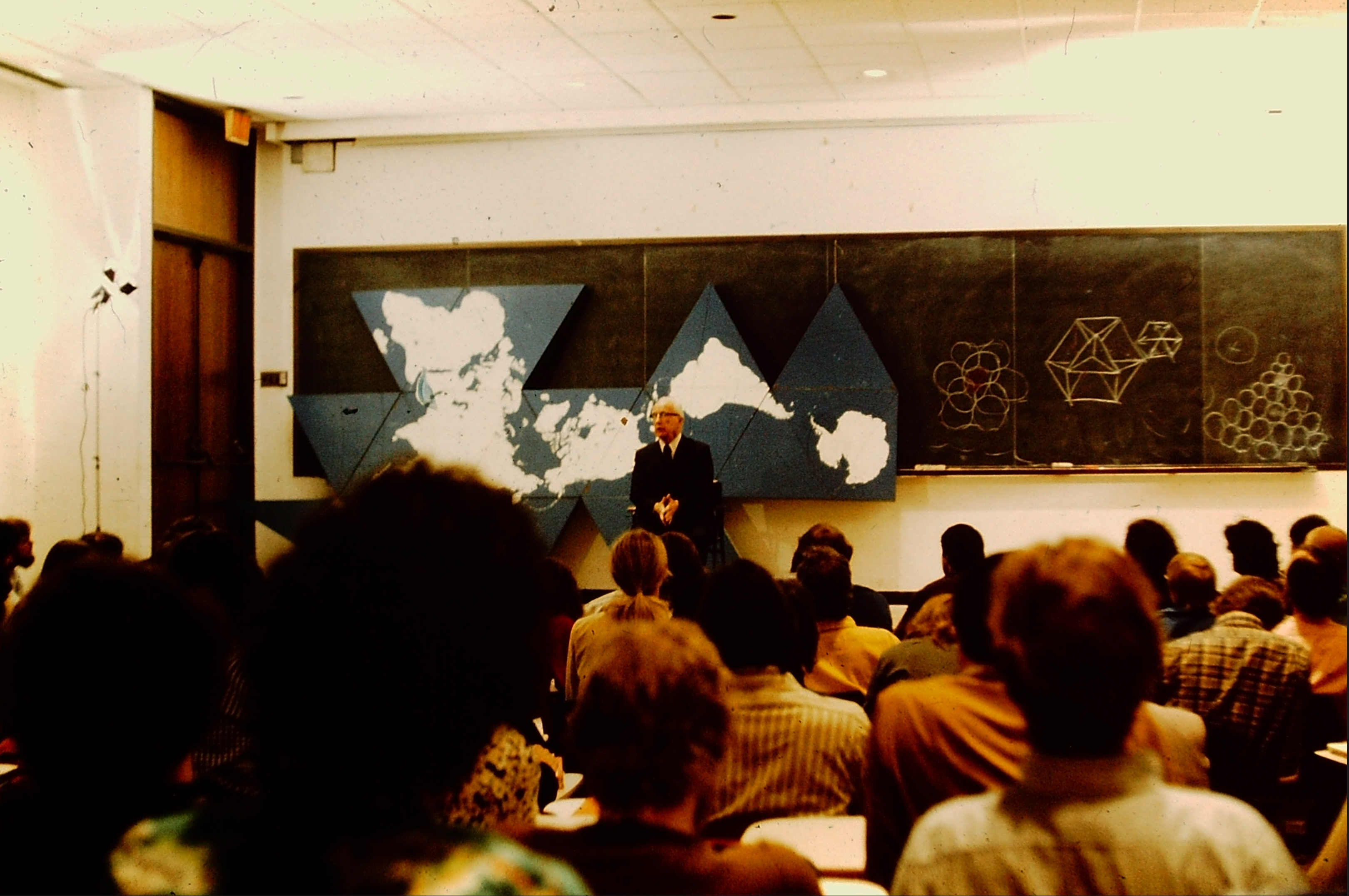
In 1971, John M. Christy arrived at Carbondale, Illinois, home of Southern Illinois University. There he encountered R. Buckminster Fuller — the legendary architect, inventor, and systems thinker who spent his final academic years at SIU.
"You can do anything you want to do. All you have to do is learn how to learn."
— R. Buckminster Fuller
Fuller described successive approximation as the fundamental process by which nature — and human ingenuity — arrives at optimal solutions. You don't leap to perfection. You iterate toward it. The geodesic dome wasn't born fully formed. It was converged upon — methodically, relentlessly, over time.
Working with geodesic structures, tensegrity models, and synergetic geometry, Christy developed an intuitive feel for spatial relationships that no textbook could provide.
In 1975, CAD systems cost $500,000 and filled entire rooms. Christy was a musician and electronics hobbyist who could barely afford the HP equipment he wanted to use. Fuller's advice was direct: learn how to learn.
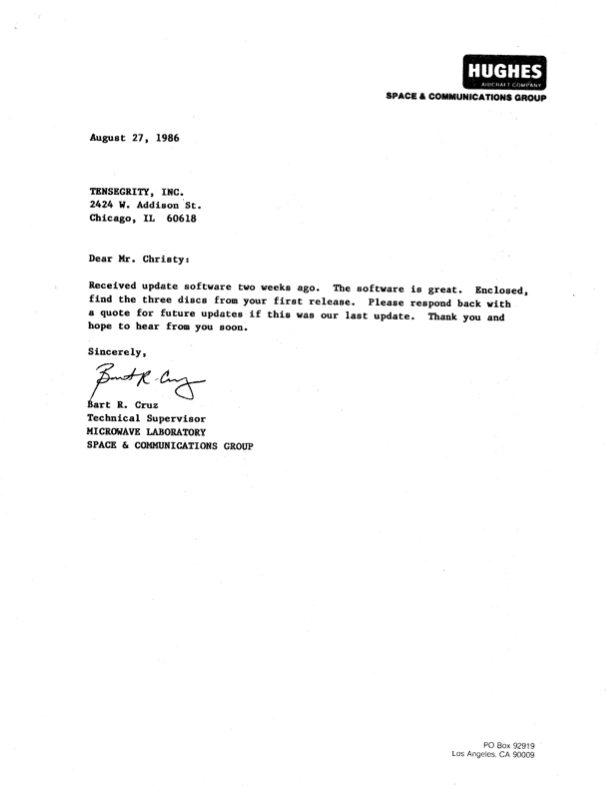
So Christy taught himself HP BASIC, then Pascal. By 1982, he had built a CAD system on a $3,000 HP desktop that rivaled systems developed by teams of PhDs. Four years later, Hughes Aircraft was using it to design microwave components for satellites. The result was CADD/200-300, published by Tensegrity, Inc. in Chicago.
The same principle drove the 2025 rebuild: learn the tools (AI-assisted development), apply four decades of domain knowledge, ship in four months.
Proven in the Field
From the Original Users
Customer survey responses collected by Tensegrity, Inc., Chicago, IL.
| Company | Application | User Comment |
|---|---|---|
| Arizona Public Ser | Mechanical & Electrical | “Very user friendly; Good package & value; Better than others.” |
| Bell Comm Research | Mechanical & Electrical | “Easy to learn; Fast; Easy to go to files and make changes.” |
| Design Sys/Service | Boat & Yacht Designer | “Impressed by splines & other useful features; Easy to use.” |
| Ft Collins Water | Plant Blueprints, Electrical | “Great support; Faster than PC systems; Great improvements last year.” |
| Hughes Aircraft | Mechanical & Electrical | “Very fast; Likes a lot; Bargain; Support excellent; Has 4 copies.” |
| Ill Switchboard | Switching Schematics | “Greatest thing since canned beer; Blew other systems tested away.” |
| Ly-Line Products | Lab Furniture/Cabinets | “Great! Continually adding upgrades; Liked better than other systems.” |
| The John Hardy Co | PC Board Layout & Mech | “Like very much; Very fast; User friendly; Always new features.” |
| ZYW Corporation | Mechanical | “Very happy with it; Very fast; Best one tried thus far.” |
What This Means for You
When John Hardy reports a bug or requests a feature, the fix often ships the same day. That isn’t a marketing claim — it’s how the application has been developed for the past six months, and it’s exactly what every C3 user gets. No ticket queue. No roadmap voting. No six-month product manager cycle.
The speed is only possible because the work is grounded in 43 years of CAD engineering judgment. Four decades of knowing exactly what a correct arc tangent looks like, what a Gerber file needs to pass UCAMCO validation, how a professional drafter actually wants a snap system to behave. Combined with Claude as an AI pair-programmer, that judgment compiles into working Swift code at a pace no traditional CAD vendor can match.
Autodesk has thousands of engineers and still takes 6–18 months to act on feature requests. C3 has one engineer, one AI, and forty-three years of context. For anything you need, that turns out to be more than enough.
Under the hood: SwiftUI for the interface, CoreGraphics for pixel-perfect rendering, a QuadTree spatial index for O(log n) performance, analytical geometry throughout. Over 120,000 lines of Swift — the application itself has zero external runtime dependencies and zero licensing servers. (DWG import is the one optional integration: a free, separately installed ODA File Converter handles the DWG↔DXF bridge. C3 runs without it.) Built in four months. Improved every week since.
The Philosophy
Fuller described successive approximation as the fundamental process by which nature — and human ingenuity — arrives at optimal solutions. You don't leap to perfection. You iterate toward it. Each cycle of design, testing, and refinement eliminates error and reveals a closer approximation of the ideal.
That principle became the guiding logic behind everything that is now C3.
The approximation continues.
From the Archives
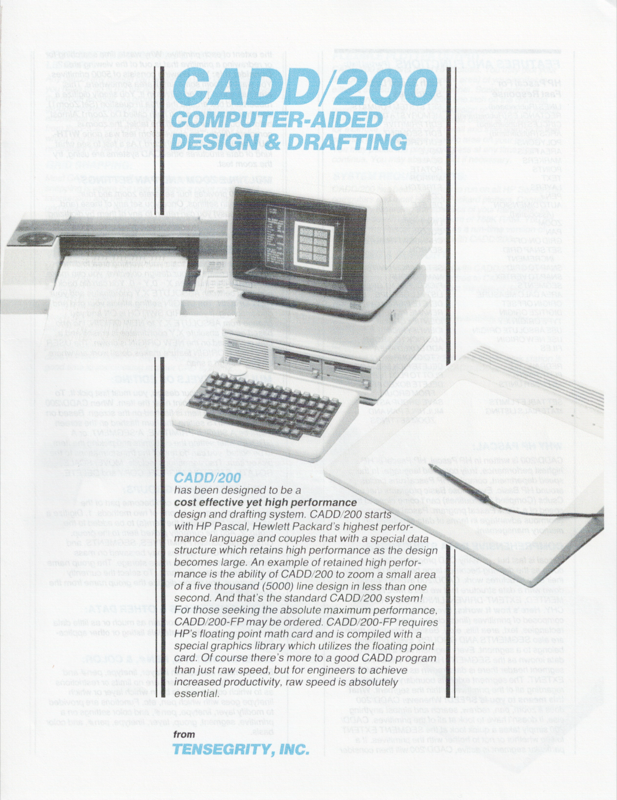
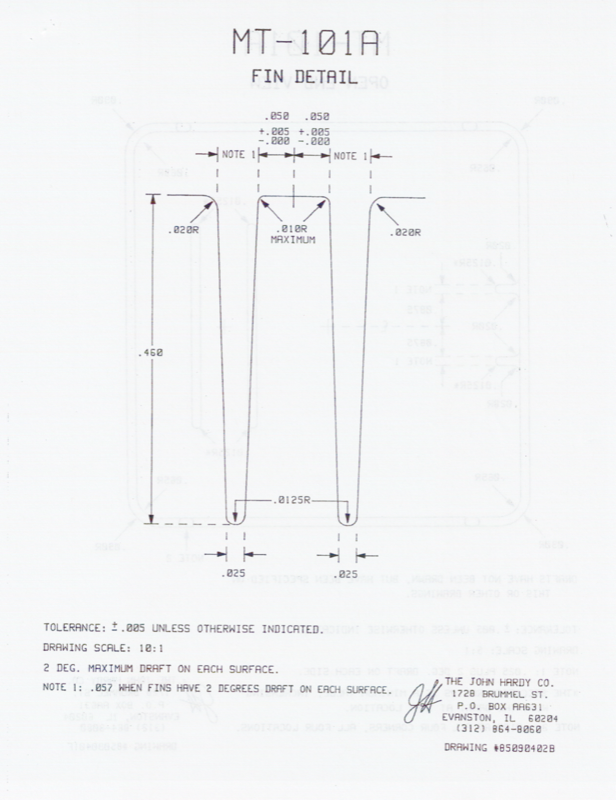
The original software ran on Hewlett-Packard workstations (HP 216, 217, 310, 320) and cost $4,000 for the first workstation license. It supported HP plotters up to E-size (34"×44"), digitizing tablets for input, and featured the same grid zero + snap increment precision system that C3 uses today.
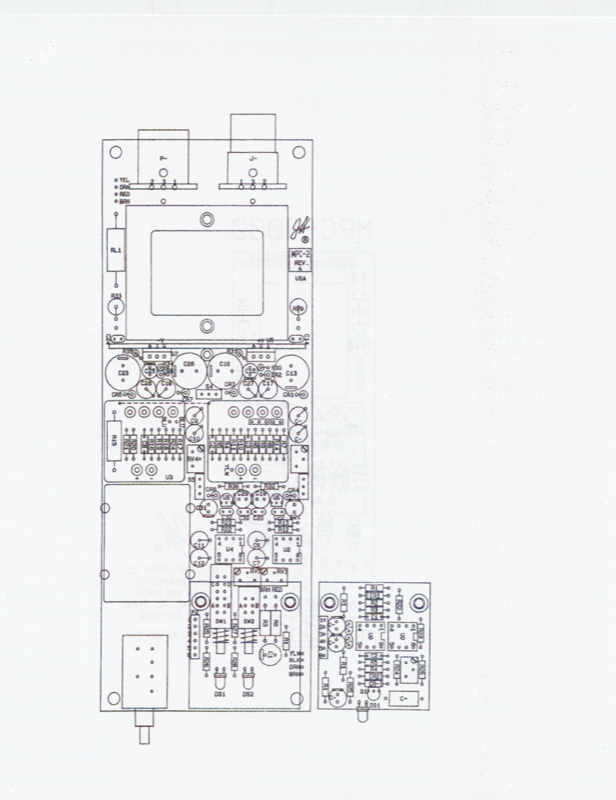
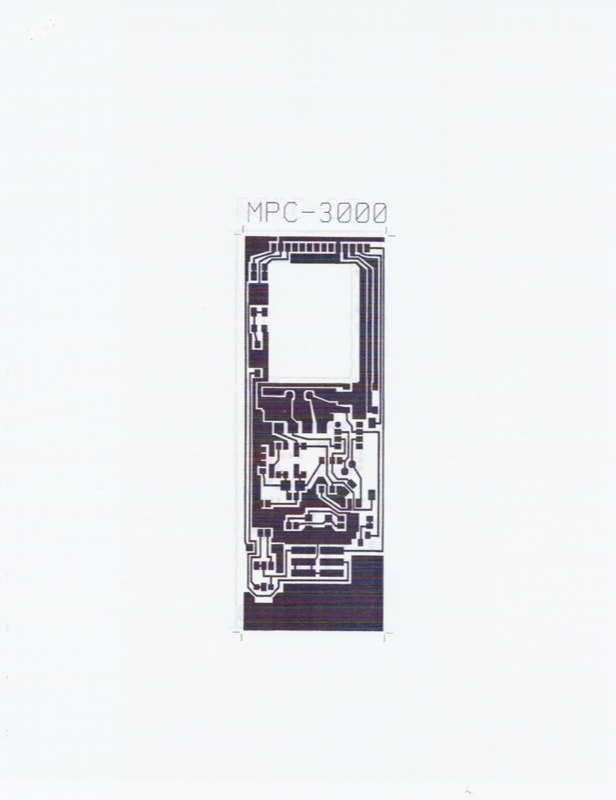
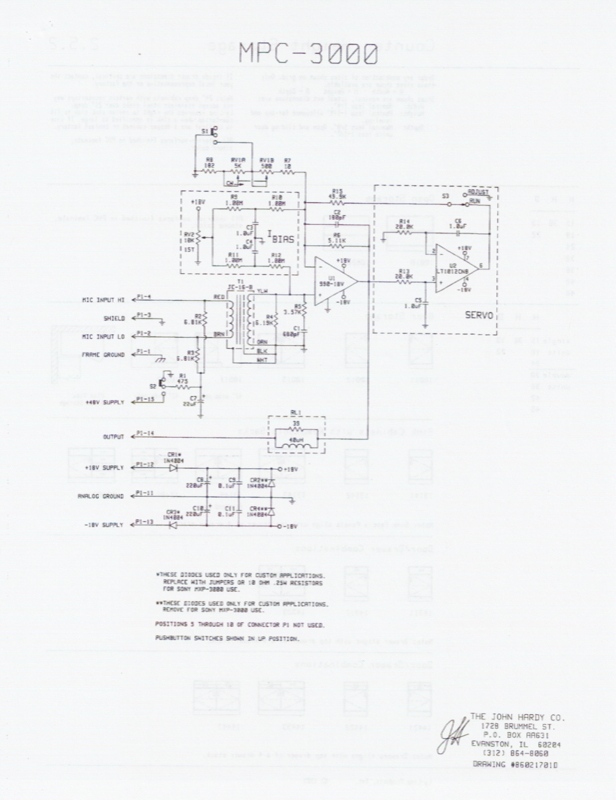
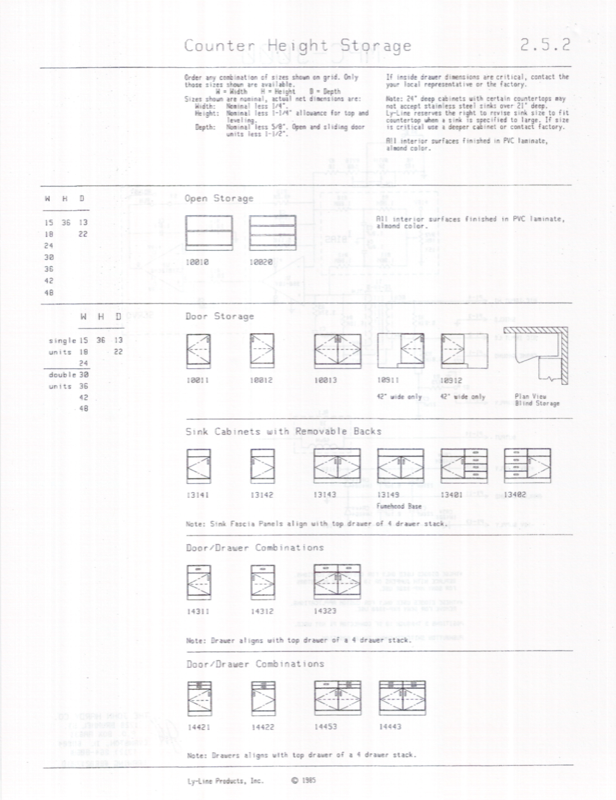
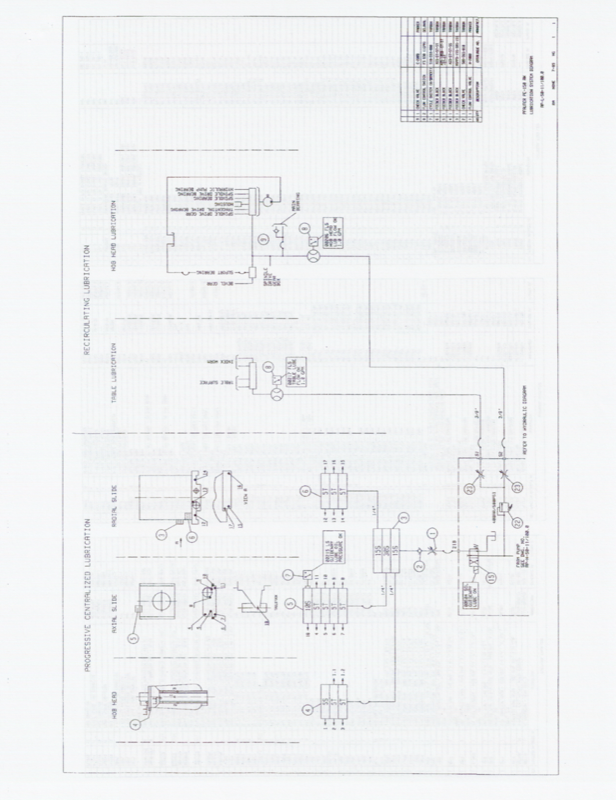
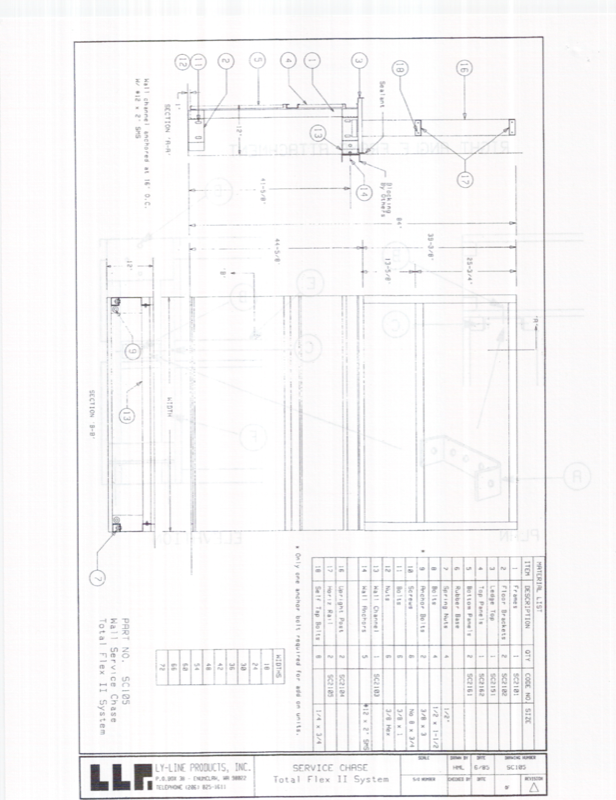
The 1986 data pack includes sample drawings from Hughes Aircraft (satellite microwave assemblies), The John Hardy Company (audio electronics), Ly-Line Products (furniture specifications), and Pfauter (industrial machinery) — showing the range of industries that trusted this software from the beginning.
Published by Tensegrity, Inc. at 2424 Addison Street, Chicago, IL 60618.
Scroll to browse →
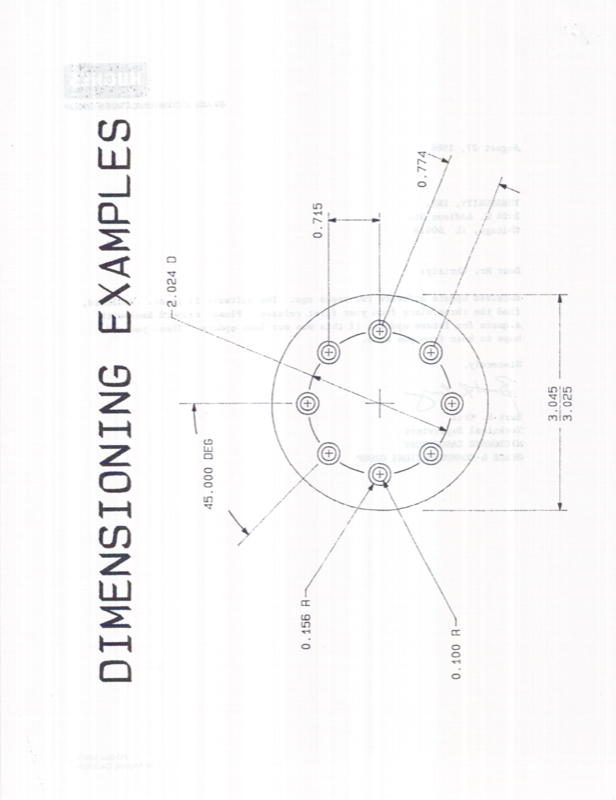
Dimensioning Examples
Hardy Co — Mold Detail
PCB Component Layout
MPC-3000 PCB Traces
MPC-3000 Schematic
Ly-Line — Catalog Page
Pfauter — Lubrication
Ly-Line — Assembly Drawing
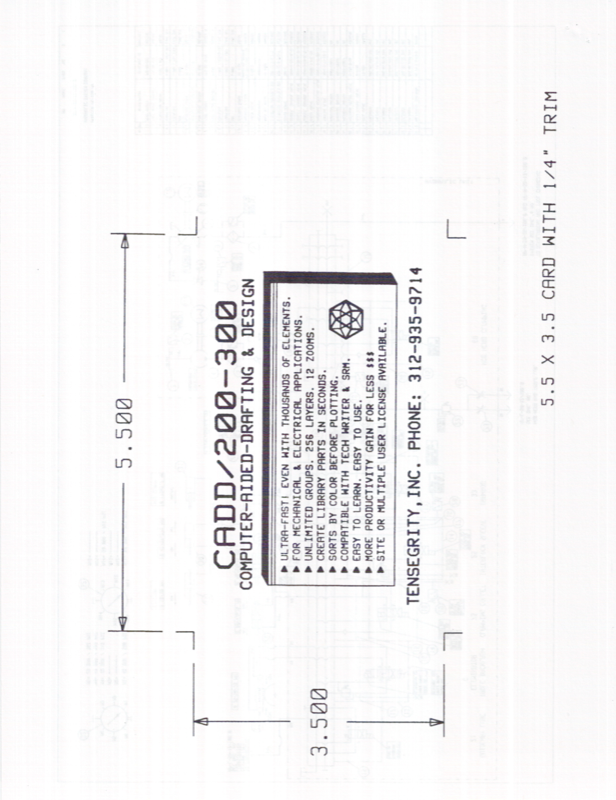
Magazine Ad Insert
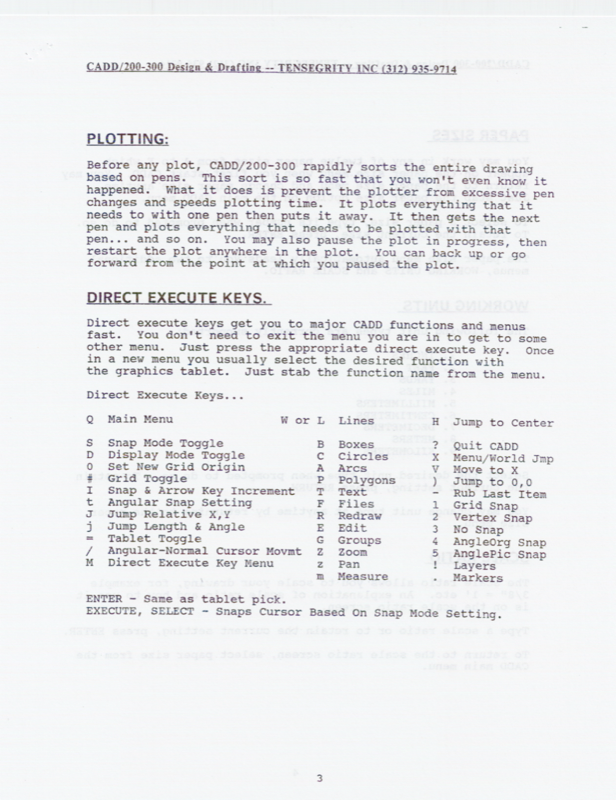
Direct Execute Keys (1986)
Pricing
One purchase. Perpetual license. Free updates. Your software, on your machine, working offline — forever.
Volume & Site Licenses
Multi-seat departments, engineering groups, and site-wide deployments are accommodated with volume pricing, purchase orders, and NET-30 terms. Contact us for a tailored quote.
The Math Speaks for Itself
AutoCAD costs $2,030/year. In 5 years, that’s $10,150 — and you own nothing. Cancel the subscription, lose the software.
C3: One payment of $12,995. You own a perpetual license. It works forever. No renewals, no recurring charges, no cloud dependency. After 6.5 years, every day you use it is free.
Year 7 and beyond: AutoCAD = $14,210+ and counting. C3 = $12,995. Done.
Common Questions
Self-contained application. No external services required.
Apple Silicon & Intel
Works completely offline
Your data stays yours
Lightweight, focused app